skillstate-proxy
A local HTTP proxy that builds model context from a task, structured state, and the latest observation.
GitHub repositoryAI & tools / Local dashboard
A pixel-art dashboard for local coding agents. See sessions, reported usage, and requests for input from supported tools in one workspace.
NosytLabs/agent-officePublic repository
Overview
A local workspace for agent activity from Hermes, OpenCode, Claude Code, Codex, and Gemini CLI. Optional local runs retain the underlying runtime permissions.
The hosted demo uses synthetic activity. Real sessions require a local installation and runtime integration. Optional local runs retain the underlying runtime permissions.
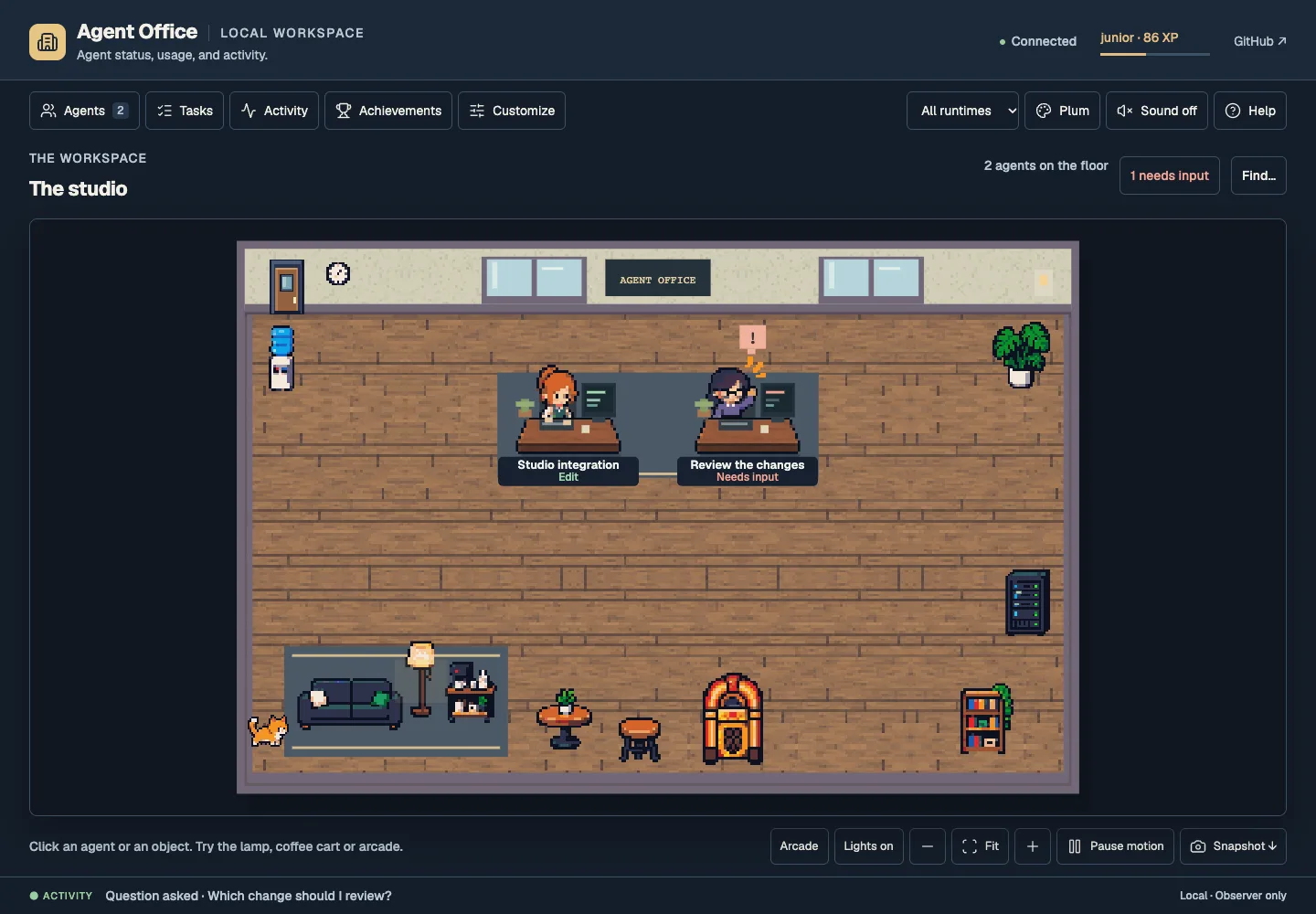
README image · synthetic demo · 2026-10-23
Getting started
git clone https://github.com/NosytLabs/agent-office.git
cd agent-office
python3 run.py
The observer needs no account or API key. Agent CLIs you run use their own accounts and billing. The hosted demo cannot launch local tasks.
Runtime setup guideBased on the public README, reviewed 23 October 2026. Check the repository for updates.
Keep exploring
Client work
Allow Google Analytics to measure page visits and successful inquiries. Your form text and email address are not included. Privacy details